 |
|
Item4673: Add checkboxes to configure (FindMoreExtensions) to allow multiple plugin installations at once

Priority: Enhancement
Current State: Closed
Released In: 1.1.0
Target Release: minor
Current State: Closed
Released In: 1.1.0
Target Release: minor
Applies To: Engine
Component: Configure
Branches:
Component: Configure
Branches:
Use Case
- Install or update a couple of plugins via configure
- go to "Plugins" > "Find more extensions"
- click on the upgrade/install link
- enter password
- Wait till the plugin is installed/upgraded and go back to configure
- again, go to "Plugins" > "Find more extensions"
- click on the upgrade/install link
- enter password
- Wait till plugin is installed/upgraded and go back to configure
- ... repeat above steps up to n times (n= number of plugins you need to update)
Solution
Provide a checkbox for each plugin so you can simply tick the plugins you need and upgrade/install them in one go. -- TWiki:Main/CarloSchulz - 19 Sep 2007
I am not arguing against this. But please do not work in this for 4.2.0. Too much risk to break something.
-- TWiki:Main.KennethLavrsen - 19 Sep 2007
Took a while, but got there eventually
-- TWiki:Main/CarloSchulz - 19 Sep 2007
I am not arguing against this. But please do not work in this for 4.2.0. Too much risk to break something.
-- TWiki:Main.KennethLavrsen - 19 Sep 2007
Took a while, but got there eventually  In trunk.
-- CrawfordCurrie - 07 Nov 2009
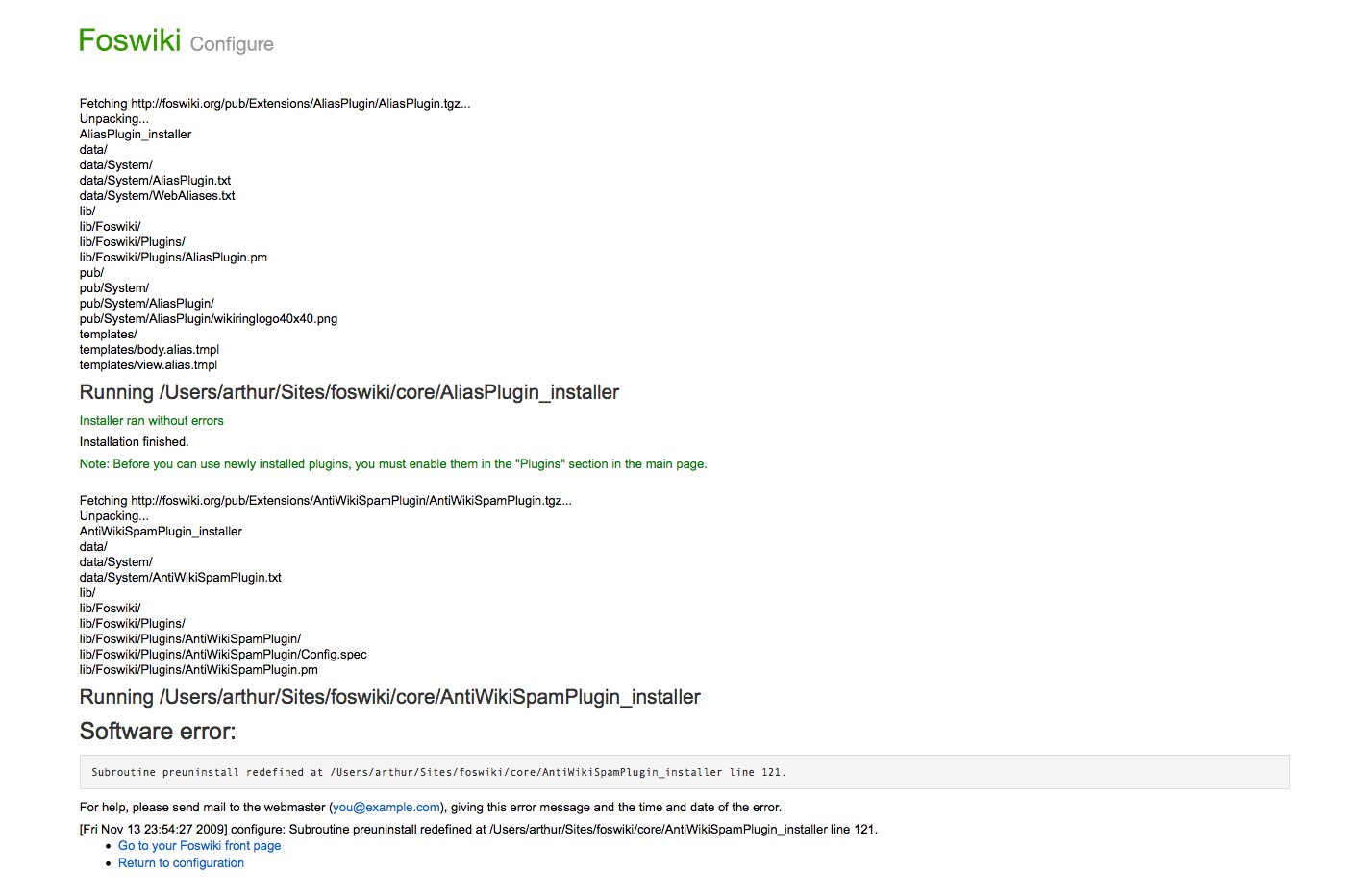
The feedback-after-update page was broken. I think I have fixed it correctly,
but please check as I may have missed something
(BTW - is it correct that _actionManageExtensions does not pass time and formAction
to the template parser?)
-- MichaelTempest - 07 Nov 2009
Yeah, it does. That page doesn't have an active form on it. Update feedback page looks good, thanks!
-- CrawfordCurrie - 13 Nov 2009
Cool! Thanks a lot taking care of this
-- CarloSchulz
I have improved the copy and layout:
In trunk.
-- CrawfordCurrie - 07 Nov 2009
The feedback-after-update page was broken. I think I have fixed it correctly,
but please check as I may have missed something
(BTW - is it correct that _actionManageExtensions does not pass time and formAction
to the template parser?)
-- MichaelTempest - 07 Nov 2009
Yeah, it does. That page doesn't have an active form on it. Update feedback page looks good, thanks!
-- CrawfordCurrie - 13 Nov 2009
Cool! Thanks a lot taking care of this
-- CarloSchulz
I have improved the copy and layout: - removed the explanation line of text: this interface should be self explanatory
- added a column color to connect all actions with the footer button
- improved visibility of submit button
ItemTemplate edit
| Summary | Add checkboxes to configure (FindMoreExtensions) to allow multiple plugin installations at once |
| ReportedBy | TWiki:Main.CarloSchulz |
| Codebase | |
| SVN Range | TWiki-4.3.0, Tue, 18 Sep 2007, build 14939 |
| AppliesTo | Engine |
| Component | Configure |
| Priority | Enhancement |
| CurrentState | Closed |
| WaitingFor | |
| Checkins | distro:6cec7edbf534 distro:2feda46d0e0a distro:8df539db6636 distro:f16b716f00cc distro:3f3da8003346 distro:389e2ab36190 distro:aa3acdc52c3d |
| TargetRelease | minor |
| ReleasedIn | 1.1.0 |


| I | Attachment | Action | Size | Date | Who | Comment |
|---|---|---|---|---|---|---|
 png png |
configure_install_feedback.png | manage | 112 K | 13 Nov 2009 - 22:54 | ArthurClemens | |
| png |
configure_with_checkboxes.png | manage | 7 K | 19 Sep 2007 - 09:13 | CarloSchulz |
Edit | Attach | Print version | History: r21 < r20 < r19 < r18 | Backlinks | View wiki text | Edit wiki text | More topic actions
Topic revision: r21 - 04 Oct 2010, KennethLavrsen




The copyright of the content on this website is held by the contributing authors, except where stated elsewhere. See Copyright Statement.  Legal Imprint Privacy Policy
Legal Imprint Privacy Policy