 |
|
You are here: Foswiki>Extensions Web>GenPDFPrincePlugin (21 Jan 2024, MichaelDaum)Edit Attach
 GenPDFPrincePlugin is not installed on Foswiki.org.
GenPDFPrincePlugin
Generate PDF using Prince XML This plugin generates PDF using the third-party tool Prince XML. You will have to download this tool from their site and agree on the license terms and conditions. Note that the non-commercial version can be used on a Foswiki server for free. In this case you will get a watermark at the top right corner of the generated pdf although not visible when printed out.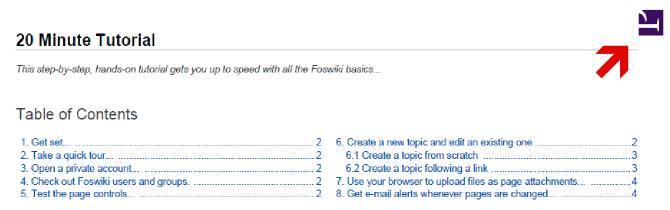
Usage
Get a PDF by addingcontenttype=application/pdf to the view url like this:
%SCRIPTURL{"view"}/%WEB%/%TOPIC%?contenttype=application/pdf&cover=print
Optionally an url parameter outfile can be used to specifiy the target filename of the pdf being generated.
If not specified explicitly it defaults to genpdf_%!TOPIC%.pdf
%SCRIPTURL{"view"}/%WEB%/%TOPIC%?contenttype=application/pdf&cover=print&outfile=myreport.pdf
Here's the complete Foswiki documentation in PDF.
Installation
You will have to download Prince XML from http://www.princexml.com/download. If you are using other plugins that implement acompletePageHandler (see InstalledPlugins) then you most
probably need to tune the $Foswiki::cfg{PluginsOrder} to list the GenPDFPrincePlugin behind those. For example,
if you are using Foswiki:Extensions/ZonePlugin then you will have to list both giving them a specific order
how they execute the completePageHandler
$Foswiki::cfg{PluginsOrder} = '...., ZonePlugin, GenPDFPrincePlugin';
Note, that ZonePlugin is not required anymore in newer Foswiki engines > 1.1.0.
You do not need to install anything in the browser to use this extension. The following instructions are for the administrator who installs the extension on the server.
Open configure, and open the "Extensions" section. "Extensions Operation and Maintenance" Tab -> "Install, Update or Remove extensions" Tab. Click the "Search for Extensions" button.
Enter part of the extension name or description and press search. Select the desired extension(s) and click install. If an extension is already installed, it will not show up in the
search results.
You can also install from the shell by running the extension installer as the web server user: (Be sure to run as the webserver user, not as root!)
cd /path/to/foswiki
perl tools/extension_installer <NameOfExtension> install
If you have any problems, or if the extension isn't available in
configure, then you can still install manually from the command-line. See https://foswiki.org/Support/ManuallyInstallingExtensions for more help.
Change History
| 19 Jan 2024 | use the PRINT_TEMPLATE as a view template if present |
| 12 Nov 2019 | don't append the html page to the end of the pdf output |
| 11 Jul 2016 | added option pdfdisposition to inline or redirect content |
| 31 Aug 2015 | compatibility for Foswiki-2.0 |
| 16 Dec 2014 | work around call to unofficial internal api to get absolute pub urls |
| 18 Mar 2014 | fixed encoding content again; setting static context when delivering pdf output |
| 18 Mar 2013 | added outfile url param to specify the file name of the pdf being generated |
| 08 Mar 2012 | fixed encoding of charset fed to prince xml; rewrite img urls from http: to file: urls while prince works on the local filesystem generating pdf |
| 17 Nov 2010 | using legacy interface mkpath to make_path to please older perl versions |
| 11 Nov 2010 | fixing incomplete image data in pdf |
| 07 Jun 2010 | added content-disposition to ease saving the pdf to disk |
| 20 Aug 2009 | improved error handling |
| 07 May 2009 | initial release |
PackageForm edit
| Author | Foswiki:Main.MichaelDaum |
| Version | 3.00 |
| Release | 21 Jan 2024 |
| Description | Generate PDF using Prince XML |
| Copyright | © 2009-2024 Michael Daum |
| License | GPL (GNU General Public License) |
| Home | Foswiki:Extensions/GenPDFPrincePlugin |
| Support | Foswiki:Support/GenPDFPrincePlugin |
| Repository | https://github.com/foswiki/GenPDFPrincePlugin |
| ExtensionClassification | |
| ExtensionType | PluginPackage |
| Compatibility | |
| IncompatibleWith | |
| ImageUrl | |
| DemoUrl | http://demo.michaeldaumconsulting.com/System/GenPDFPrincePlugin |
| SupportUrl | GenPDFPrincePlugin |
| ModificationPolicy | CoordinateWithAuthor |


| I | Attachment | Action | Size | Date | Who | Comment |
|---|---|---|---|---|---|---|
 md5 md5 |
GenPDFPrincePlugin.md5 | manage | 177 bytes | 21 Jan 2024 - 12:00 | MichaelDaum | |
| sha1 |
GenPDFPrincePlugin.sha1 | manage | 201 bytes | 21 Jan 2024 - 12:00 | MichaelDaum | |
 tgz tgz |
GenPDFPrincePlugin.tgz | manage | 25 K | 21 Jan 2024 - 12:00 | MichaelDaum | |
| zip |
GenPDFPrincePlugin.zip | manage | 27 K | 21 Jan 2024 - 12:00 | MichaelDaum | |
| EXT |
GenPDFPrincePlugin_installer | manage | 4 K | 21 Jan 2024 - 12:00 | MichaelDaum |
Edit | Attach | Print version | History: r24 < r23 < r22 < r21 | Backlinks | View wiki text | Edit wiki text | More topic actions
Topic revision: r24 - 21 Jan 2024, MichaelDaum


The copyright of the content on this website is held by the contributing authors, except where stated elsewhere. See Copyright Statement.  Legal Imprint Privacy Policy
Legal Imprint Privacy Policy